Disclosure Partner links are marked. We may earn a commission if you use one. It costs you nothing extra and never changes our verdict. How we review
Most gold traders who look for TradingView alternatives want one of three things: the exact XAUUSD price their broker fills at, a smaller bill, or a scripting language they already know. MetaTrader 5, cTrader, NinjaTrader, thinkorswim and broker web platforms each solve one of those well. TradingView still does the most jobs at once, so for most gold traders the better question is which alternative to pair with it, not which one replaces it.
We read every vendor's own pages on 11 November 2026 and wrote down a price, a limit or a feature only when that page stated it. We did not time charts, measure quote gaps or open paid accounts. Where a vendor was silent, this post is silent too. For longer platform-by-platform notes, see Best charting platforms for gold traders.
Side by side
| TradingView | MetaTrader 5 | cTrader | NinjaTrader | thinkorswim | Broker web platforms | |
|---|---|---|---|---|---|---|
| Gold price on the chart | Many XAUUSD feeds side by side; the symbol page defaults to an ICE source. CME futures data is an extra purchase | Your broker's own XAUUSD quote, the same feed your orders fill against | Your broker's own XAUUSD quote, the same feed your orders fill against | Gold futures contracts; real-time data unlocks once money is added to the account | Gold futures through Schwab; the pages we read did not name an XAUUSD spot symbol | The broker's own quote; history depth and symbols vary by broker |
| Indicators and scripting | 400+ built-in indicators, 100,000+ community ones, and Pine Script | 38 indicators, 44 analytical objects, MQL5 and a Strategy Tester | cTrader Algo: indicators and cBots in C# or Python | Hundreds of indicators; NinjaScript indicators and strategies in C# | Hundreds of studies; thinkScript for studies, strategies, scans and alerts | Varies by broker; check before you rely on custom code |
| Alerts | Cloud alerts on any device: 3 on Basic, up to 1,000 on Ultimate; a fixed duration on the lower tiers | Sound, email or a push notification to the mobile app | Price alerts named for the iOS and Android apps | Custom alerts on indicator values, price and time | Study alerts on thinkScript conditions | Varies by broker |
| Devices | Web, desktop app, iOS and Android, with synced layouts | Desktop, web, iOS and Android | Web, Windows and Mac with Algo; iOS and Android for trading | Desktop, web and mobile on every plan | Desktop, web and mobile | Browser, often beside the broker's own mobile app |
| Cost tiers | Basic $0; paid plans from $12.95 to $199.95 a month billed annually (read 11 Nov 2026) | No trader subscription printed; you pay the broker's spread and commission | No platform fee printed; you pay the broker's spread and commission | Free, $99 a month or $1,499 once, plus per-side commissions and exchange fees | No charge for Schwab clients; futures commissions apply | Included with the broker account; you pay the spread and commission |
| Account needed | No; Basic needs no card | A broker login | A broker login; not offered to US residents | A free account for charts and simulation; a brokerage account for live data | A Schwab account, or a 30-day Guest Pass | A broker account |
- TradingViewTraders who want one set of charts, scripts and alerts that follows them to any broker and any device.
- MetaTrader 5XAUUSD CFD traders whose broker offers MetaTrader 5 and who want the chart, alerts and Expert Advisors next to the order ticket.
- cTraderTraders outside the US whose broker offers cTrader and who would rather write custom tools in C# or Python.
- NinjaTraderGold futures traders who want charting, backtesting and order-flow tools tied to one futures brokerage.
- thinkorswimSchwab clients who trade gold futures beside stocks, ETFs and options.
- Broker web platformsOccasional traders who need a clean chart and the order ticket in one browser tab.
What should a gold trader compare in a TradingView alternative?
Compare where the gold price on the chart comes from first, and everything else second.
Spot gold, the XAUUSD symbol most retail traders use, trades over the counter. There is no single central tape: each broker or data provider streams its own bid and ask, so two XAUUSD charts can show slightly different prices at the same second, and the gap can widen in fast markets. Gold futures are different. They trade on an exchange with one order book and published volume, but they expire and must be rolled, and the contract size is fixed by the exchange.
Once you know which gold you trade, judge each platform on the same five points:
- XAUUSD data quality. Is the chart showing the feed you trade on, or a reference feed that is close but not identical?
- Indicators and scripting. How many built-in tools are there, and can you write your own in a language you know?
- Alerts. Do alerts run on the server or only while your computer is on, and do they reach your phone?
- Multi-device. Can you move between desktop, browser and phone without rebuilding your layout?
- Cost tiers. What is free, what is paid, and where does the real cost sit: a subscription, a spread or a commission?
The sixth question, who each platform suits, falls out of the first five. The table above is the short version. The sections below carry the detail behind each cell.
Which platform shows the most accurate XAUUSD price?
The most accurate XAUUSD price for you is your own broker's, and that is the one point where the broker terminals beat TradingView.
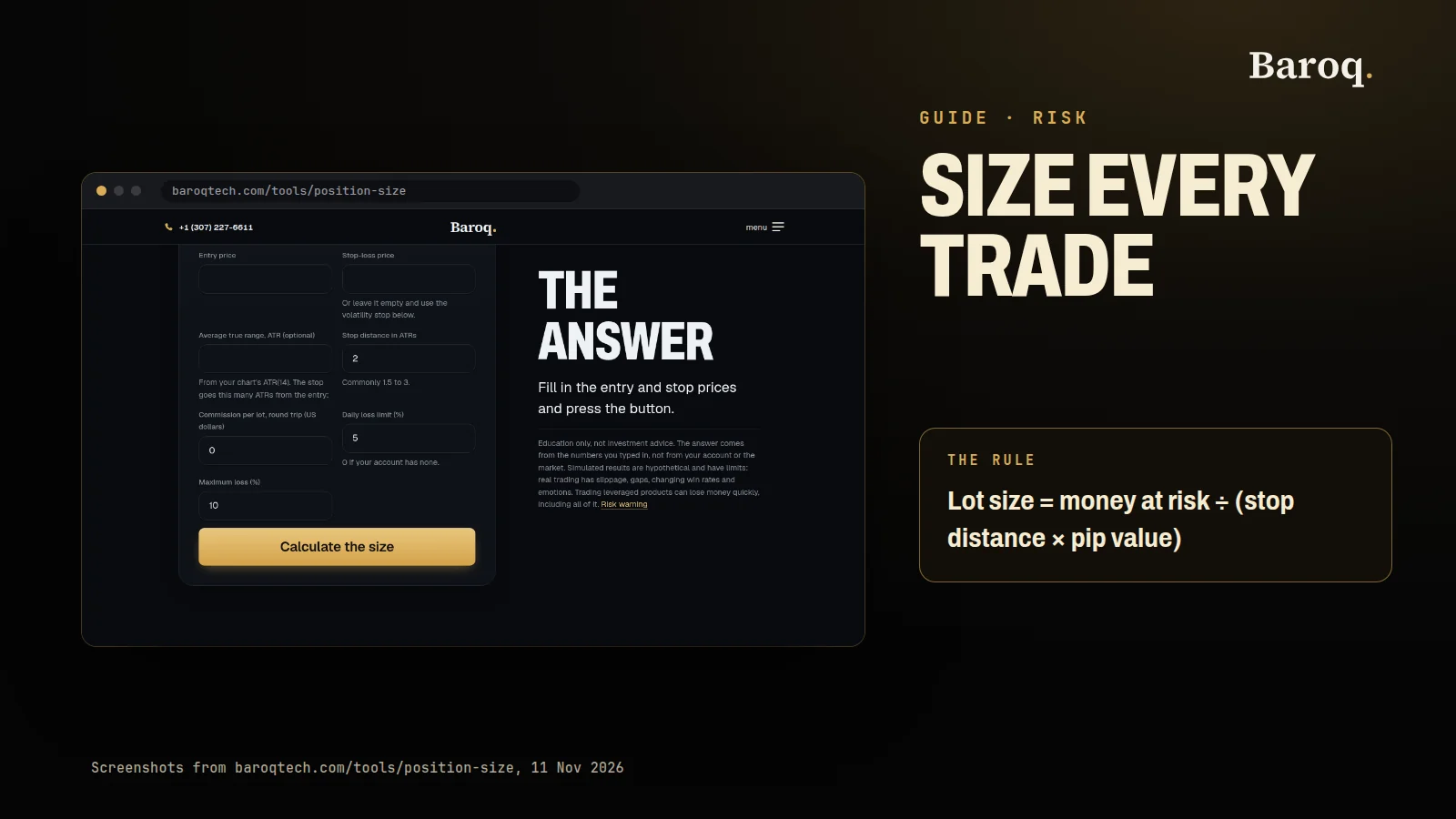
MetaTrader 5, cTrader and a broker's web platform all show the broker's own quote. Your stop, your entry and your take-profit are filled against that same feed, so a level you draw on the chart is a level the broker will actually see. The symbol name can vary by broker, for example XAUUSD or GOLD with a suffix, and the contract size and pip value sit in the symbol's specification. Read it before you size a trade. How to size a position walks through the arithmetic on a labelled XAUUSD example.
TradingView works the other way round. Its XAUUSD symbol page, read on 11 November 2026, showed "Gold Spot / U.S. Dollar" with ICE as the source by default, and the trade ideas on the same page were drawn on broker-prefixed feeds such as OANDA:XAUUSD and PEPPERSTONE:XAUUSD. That choice is useful: you can lay two feeds over each other and see how far apart they run. It also means the default chart is a reference price. If your broker's feed is listed, chart that prefix. If your broker connects to TradingView, trade from the chart so the quote and the ticket match.
Futures traders face a different question. TradingView's pricing FAQ says real-time data for exchanges, CME among them, is added separately, and that you need a paid plan or a trial before you can add it. NinjaTrader says real-time market data unlocks once you add money to a live account, and that a 14-day trial of live futures data comes with a new account. On thinkorswim, gold sits under futures; the pages we read did not name an XAUUSD spot symbol.
A simple working rule: draw your levels on whichever chart you like, then place the stop on the price you actually trade.
Is MetaTrader 5 a good TradingView alternative for gold?
Yes: if your broker offers XAUUSD in MetaTrader 5, it is the most practical no-subscription alternative, because the chart, the alerts and the order ticket share one feed.
MetaQuotes lists 38 built-in indicators, 44 analytical objects and 21 timeframes, and says you can open up to 100 charts at a time. Its own description of the platform puts the wider total at more than 80 technical indicators and analytical tools. Beyond that, there are thousands of free indicators and robots in the Code Base, paid and rented apps in the Market, and the MQL5 language with the MetaEditor development environment for writing your own. The Strategy Tester runs Expert Advisors on history, with a visual mode for watching a robot work through the bars.
Alerts trigger on conditions such as the bid or ask crossing a level, and MetaQuotes says they can notify you with a sound, an email or a push notification to the mobile app, linked through your MetaQuotes ID. The platform runs on desktop, in a browser, and on iOS and Android.
On cost, MetaQuotes sells the platform to brokers. Its trader pages offer the download and print no subscription, so what you pay is the broker's spread and any commission on your gold trades.
Where it falls short of TradingView:
- One broker at a time. A terminal is logged in to one account, so comparing two brokers' gold quotes means switching logins or running two terminals.
- A smaller built-in toolkit. The core set is solid but compact, and community tools are spread across the Code Base and the Market rather than one searchable library on the chart.
- No published tier table. There is no ladder of "more charts and alerts for more money", which is simpler, but it also means the feature set is whatever your broker's build provides.
What does cTrader offer gold traders that MetaTrader 5 does not?
cTrader's main difference is the language: custom indicators and cBots are written in C# or Python rather than MQL5.
cTrader's help centre describes cTrader Algo as the framework for algorithmic trading and custom tools, and says you can build cBots and indicators in either C# or Python. The download page lists cTrader Web, Windows and Mac as including both Trade and Algo, and the iOS and Android apps as including Trade. Spotware's own page describes the mobile apps with advanced charts, order types and price alerts, and names cTrader Copy as its built-in copy service.
Like MetaTrader 5, cTrader is supplied by brokers. The pages we read printed no platform fee for traders, so the cost is again the broker's spread and commission. Add-ons in the cTrader Store carry their own prices, which belong to the add-on, not the platform.
Two practical points for gold traders:
- The feed is your broker's. That gives cTrader the same advantage as MetaTrader 5 on price accuracy, and the same limit: one broker's quote per login.
- It is not offered in the United States. The ctrader.com footer states that the services of cTrader Ltd are not available to citizens or residents of the USA.
If you already write C# or Python, cTrader is the easier place to automate a gold idea. If your broker only offers MetaTrader 5, the language question is settled for you.
Should gold futures traders use NinjaTrader or thinkorswim?
Use NinjaTrader if you want a futures specialist with order-flow tools, and thinkorswim if you already have, or want, a Schwab account for your other investments.
NinjaTrader says its platform is free for charting, backtesting and simulated trading, with no time limit. Live trading runs through its own futures brokerage on three plans, read on 11 November 2026: Free at $0 a month with commissions of $0.39 per side on micro contracts and $1.29 on standard ones, Monthly at $99 with $0.29 and $0.99, and Lifetime at $1,499 once with $0.09 and $0.59. Exchange, clearing and NFA fees are added on top, and a round trip is two sides. Gold is listed under the $1,000 intraday margin heading on the same page. Every plan includes the desktop, web and mobile platforms. Custom indicators and strategies are written in NinjaScript, which NinjaTrader's developer site describes as C#, and the platform can trigger alerts on indicator values, price and time. It also lists TradingView among the third-party tools you can connect.
A quick sum from those published numbers: the Monthly plan saves $0.30 per side on a standard contract, so it covers its $99 fee after about 330 sides a month. On micro contracts the saving is $0.10 per side, so the break-even is about 990 sides. Below that, the Free plan costs less.
thinkorswim is Schwab's platform suite, and Schwab says clients get it for no charge, with its standard pricing applying to the trades. The $0 online commission on its pricing page does not apply to futures. You choose from hundreds of studies and drawing tools, and thinkScript lets you write your own studies, strategies that add simulated orders for backtesting, custom watchlist columns, scans and study-based alerts. The suite runs on desktop, web and mobile, paperMoney is built in for simulation, and a 30-day Guest Pass lets you try it before opening an account.
Neither platform is built around spot XAUUSD. You chart the gold futures contract, which expires: NinjaTrader's own FAQ reminds traders to exit or roll a position before the contract ends.
Are broker web platforms good enough for charting gold?
For a quick look and an order they are often enough; for analysis, alerts and scripts, check what your broker has switched on before you rely on them.
The appeal is simple. There is nothing to install, the chart shows the broker's own XAUUSD feed, and the order ticket is in the same tab. A broker web chart may look familiar. TradingView's charting library page says its libraries are trusted by over 40,000 companies, lists banks and brokers among its users, and explains that the library is connected to the broker's back end so users can trade from the chart. Which drawing tools, indicators and alert types appear in that chart is the broker's choice, not TradingView's.
The limits show up over time. Historical depth, saved layouts and alert channels vary from broker to broker, custom code may not be part of the package, and when you change broker your layouts and notes stay behind. A web platform is a good window onto your account. As a research desk it depends entirely on the broker.
Which TradingView alternative costs the least?
The terminals your broker supplies, MetaTrader 5, cTrader or the broker's web platform, carry no printed subscription, but you still pay through the spread and commission on every gold trade.
That is the honest way to compare cost: add up the software fee and the cost of the trades you will actually place. A no-fee terminal on a wide gold spread can cost more over a month than a paid chart beside a tight one.
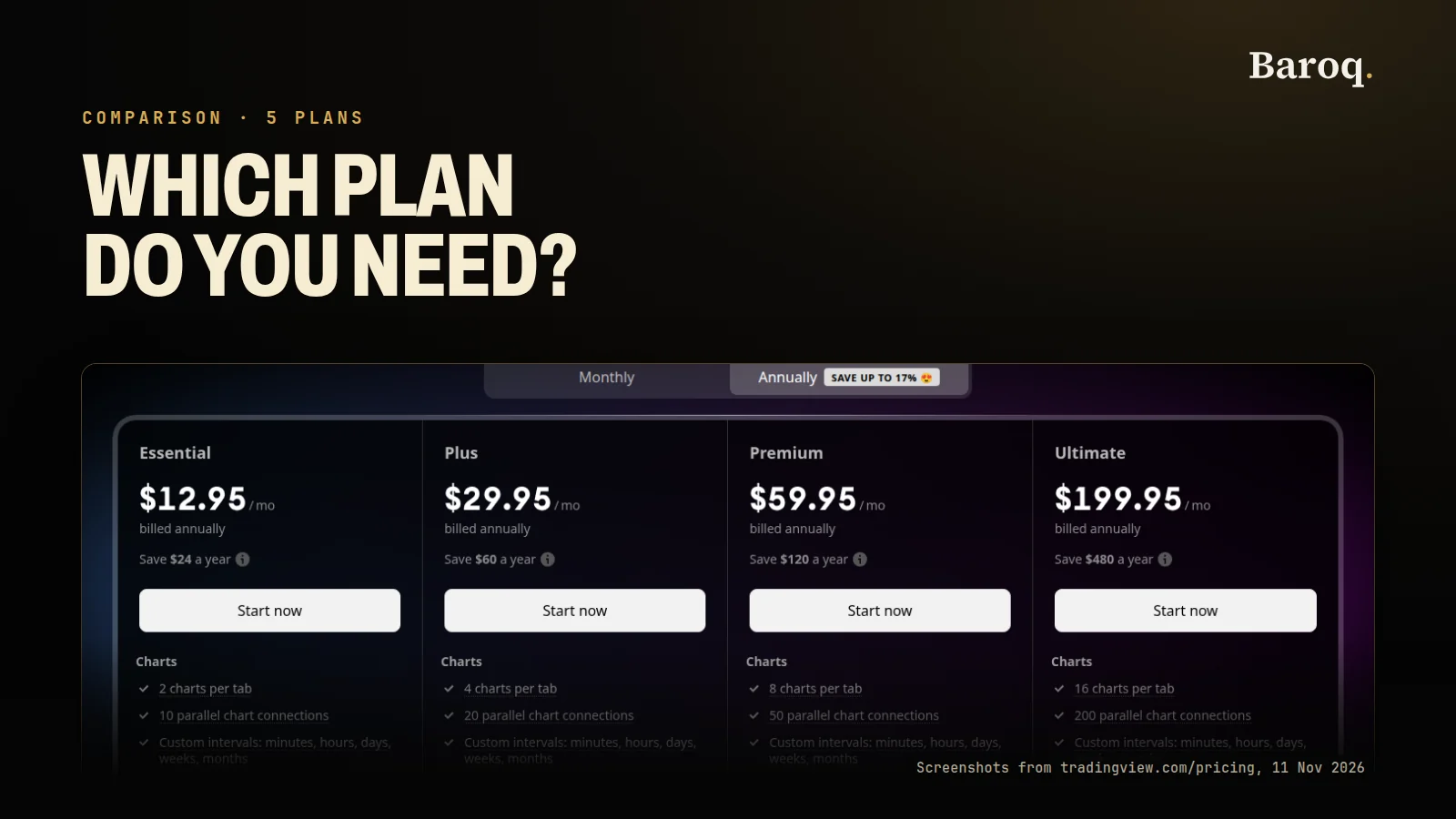
TradingView is not expensive to start, because Basic is $0, "forever" in the page's own words, with no credit card. On 11 November 2026, with annual billing selected, the paid plans showed special prices from $12.95 a month for Essential to $199.95 a month for Ultimate. Price alerts run from 3 on Basic to 1,000 on Ultimate, and the comparison table gives alerts a fixed duration of one month on Basic and two months on Essential and Plus. The refund rule matters before an annual payment: refunds are for annual plans only, within 14 calendar days, with none for monthly plans, upgrades or market data. TradingView plans compared goes through each tier row by row.
For futures, NinjaTrader and thinkorswim both make the platform free and charge per contract. Neither "free" means free trading. Price your usual month of trades on each before you decide.
Where does TradingView still win for most gold traders?
TradingView still wins on breadth: it is the one platform here that charts many gold feeds, runs your scripts and alerts in the cloud, and follows you to any broker and any device.
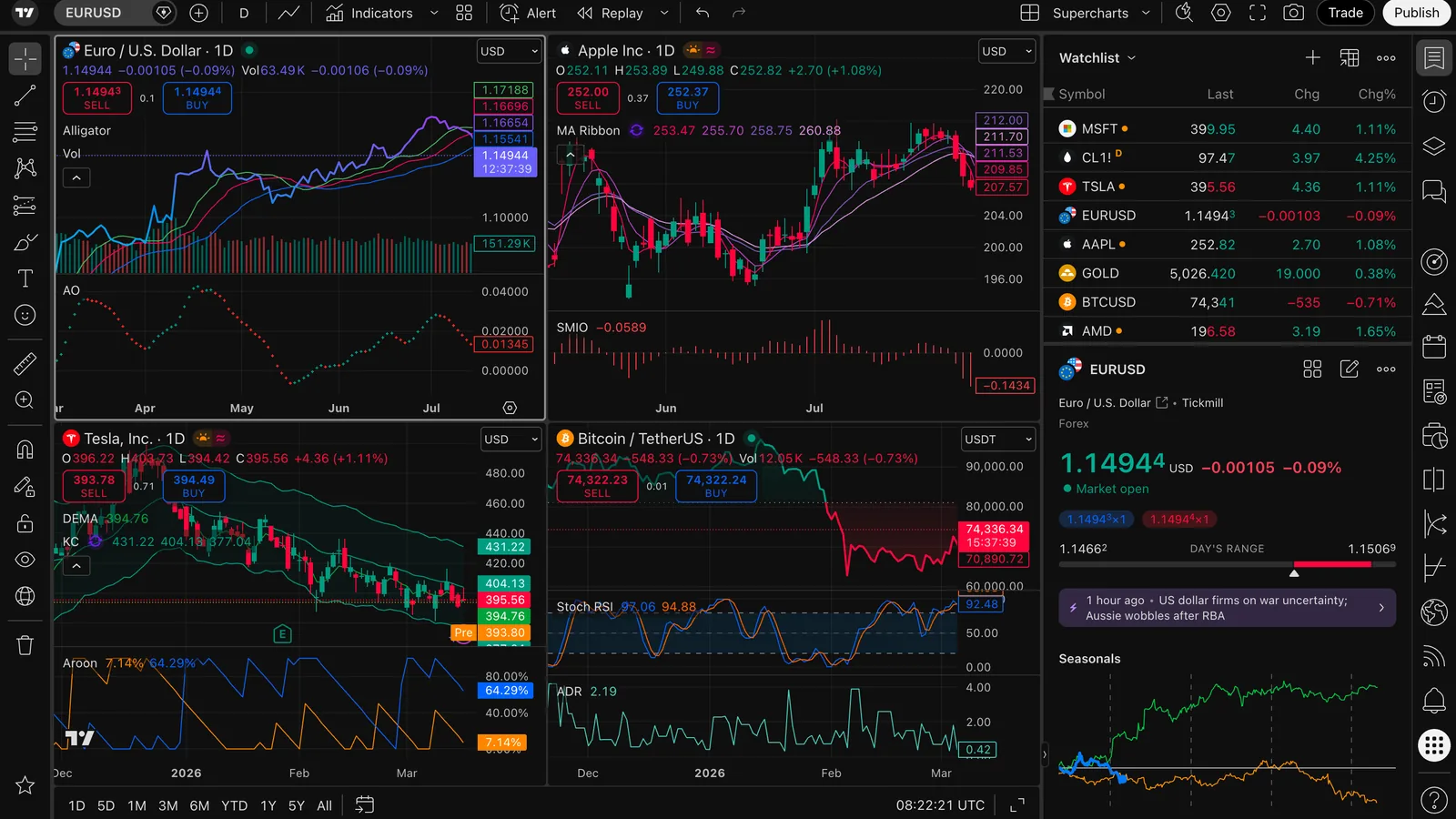
Five reasons we would keep it on a gold trader's screen:
- It is not tied to a broker. Change broker and your layouts, drawings, watchlists and scripts stay where they are. Broker terminals come from the broker, so moving can mean rebuilding your setup.
- Feed choice. You can compare a reference XAUUSD feed with your broker's feed, or with gold futures if you buy the exchange data, on one screen.
- Pine Script and the community library. TradingView describes Pine Script as a language built for the chart, with thousands of built-in functions and its own editor. Its features page lists more than 400 built-in indicators and more than 100,000 public ones written by the community, against the 38 built-in indicators MetaQuotes lists for MetaTrader 5.
- Cloud alerts. TradingView says its alerts are cloud-based, available on any device and can be powered by Pine Script. The plan table lists multi-condition alerts and webhook notifications in the alert rows, so a gold level can still fire when your laptop is closed.
- The same desk everywhere. Web, desktop app and mobile apps share synced layouts, watchlists and settings.
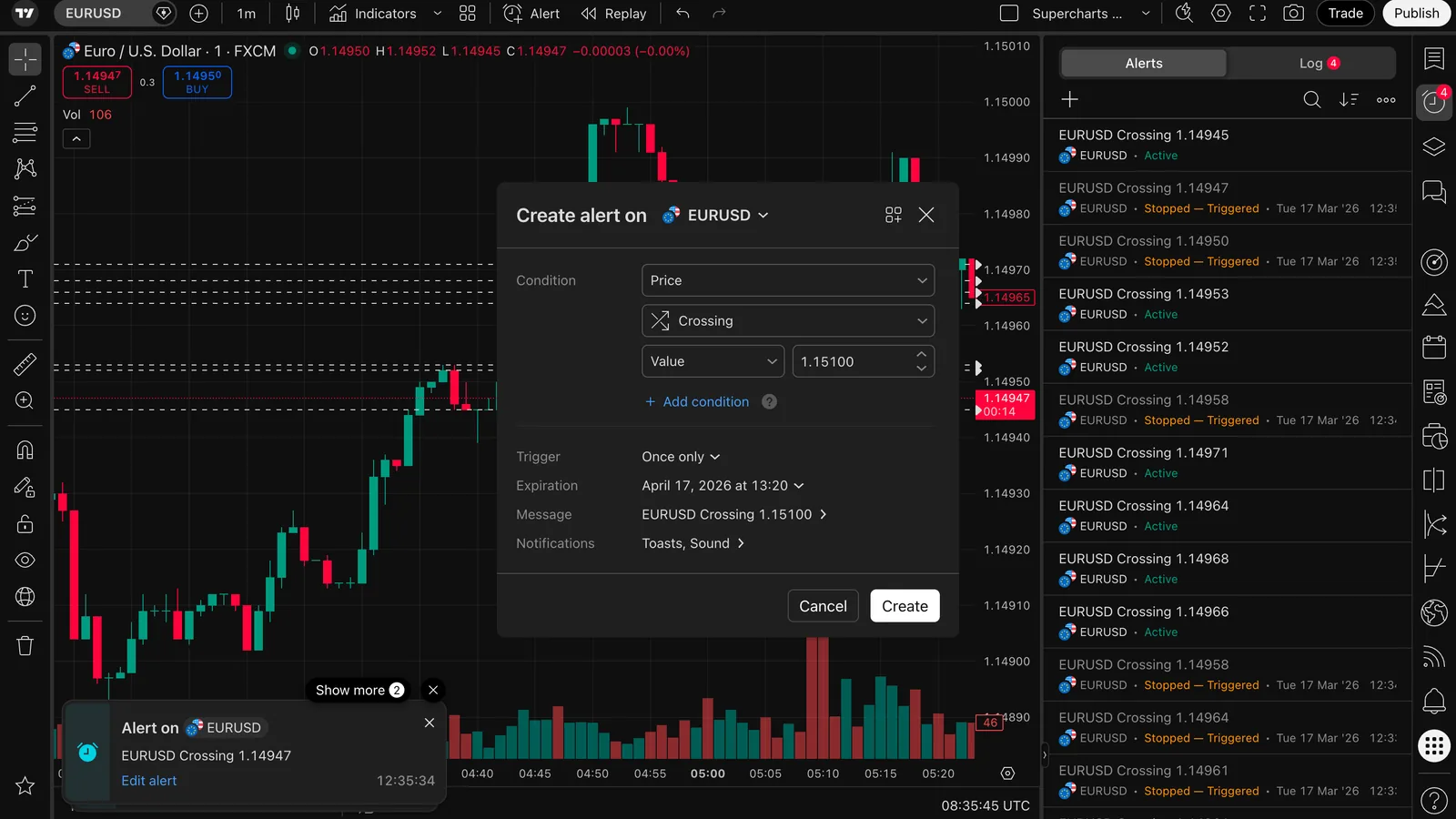
Where it does not win: unless you trade through a connected broker, the price on the chart is a feed you chose, not the one you fill on. More charts per tab, more alerts and alerts without a fixed end date cost money. And CME futures data is an extra purchase on top of any plan. Those are reasons to pair TradingView with an alternative, not to drop it.
How do you pick the right setup for your gold trading?
Match the platform to where your gold trade is filled, then add TradingView only if it fills a gap.
- You trade XAUUSD as a CFD and your broker offers MetaTrader 5 or cTrader. Make that terminal your execution screen. Add TradingView if you want broker-independent layouts, community scripts or alerts on your phone without a terminal running.
- You want to automate a gold idea. Pick the language you know: MQL5 in MetaTrader 5, C# or Python in cTrader, C# in NinjaTrader, thinkScript in thinkorswim, Pine Script in TradingView. Then check where the script will run and on which feed.
- You trade gold futures. Compare NinjaTrader and thinkorswim on your real monthly contract count, not the headline platform price. TradingView can sit on top as the analysis screen if you buy the CME data.
- You trade occasionally. Your broker's web platform may be all you need. Keep a free TradingView Basic chart for a second view of the level.
- You already pay for TradingView and want to save. Check which limit you actually use. Dropping a tier is often enough, and TradingView plans compared shows what each tier removes.
Whichever screen you choose, write the stop in the broker's price first, then the size. A platform with more indicators does not change the distance to your stop, and How to size a position shows how that distance sets the lots.
TradingViewPartner is the only partner link in this post: it is an affiliate link, and we may earn a commission if you use it, at no extra cost to you. MetaTrader 5, cTrader, NinjaTrader, thinkorswim and the broker platforms are named in plain text.
The facts above were read on 11 November 2026 on these vendor pages: TradingView's pricing page, features page, XAUUSD symbol page and charting libraries page; MetaQuotes' MetaTrader 5 platform page, technical analysis page and alerts page; cTrader's download page, cTrader Algo help and Spotware's cTrader page; NinjaTrader's pricing page and free trading charts page; Schwab's thinkorswim page and the thinkScript reference. The two screenshots are from TradingView's official media kit. If a page has changed since, the vendor's page wins.
TradingView, MetaTrader 5, cTrader, NinjaTrader and thinkorswim are other companies' products. Baroq's desk and research tools are a separate product. See plans
Educational only, not financial advice; trading involves risk.
Educational content, not financial advice. Prices, fees and offers change: check them on the provider's own site before you sign up. Trading leveraged products carries a high risk of losing money, and you can lose all of it.