Disclosure Partner links are marked. We may earn a commission if you use one. It costs you nothing extra and never changes our verdict. How we review
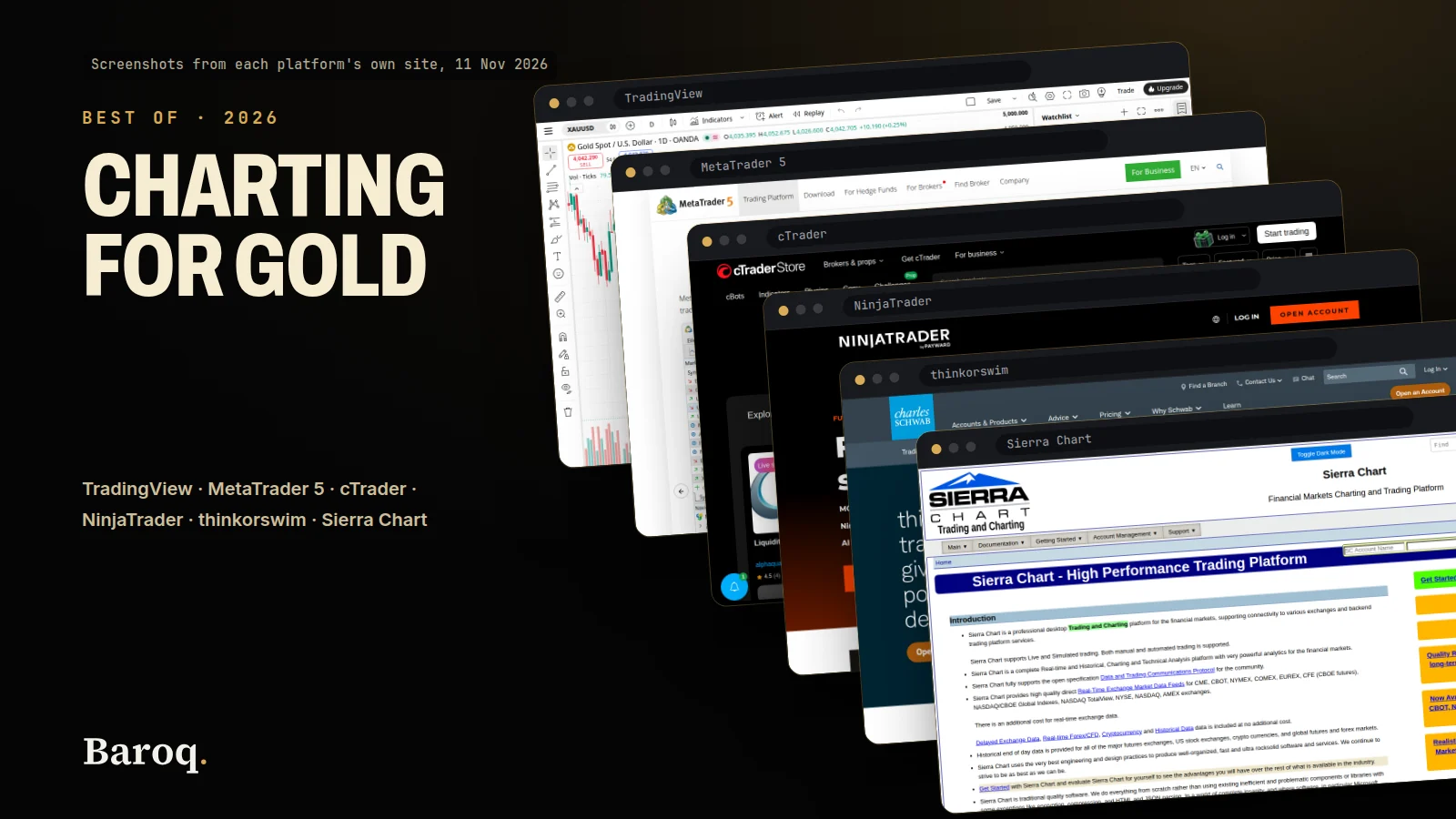
The best charting platform for a gold trader is the one whose quote matches the order ticket, and whose fee you have already read. The best charting platforms compared here are TradingView, MetaTrader 5, cTrader, NinjaTrader, thinkorswim and Sierra Chart. We read each vendor's own site on 10 November 2026, and a figure below is printed only when that site printed it.
- 01
TradingView
On 10 November 2026 the pricing page showed Basic at $0, and the annual tooltips showed $155.40, $359.40, $719.40 and $2,399.40 for the four paid plans. Exchange data, including the CME example in the pricing FAQ, is a separate purchase.
- Basic is $0, and the signup line under that card says no credit card is needed
- Charts, indicators, alerts and history are in one comparison table
- Paper trading and trading through a broker are marked on Basic as well
- A named exchange feed is not included in the plan price
- Essential and Plus alerts last two months in the comparison data
Visit TradingView Partner
- 02
MetaTrader 5
MetaQuotes' trader pages offer desktop, web and mobile downloads and do not print a subscription price for that download. The same site has a separate buy path aimed at brokers, and the spread on a gold symbol is the broker's figure, which this post did not copy.
- The trader pages do not show a platform subscription
- MetaQuotes states up to 100 charts and over 80 built-in indicators
- There is no public plan table of chart limits by fee
- Symbol, spread and commission sit with the broker, not on the download page
- 03
cTrader
The cTrader download page lists web, Windows, Mac and mobile apps and does not print a platform subscription. Spotware's own page describes the platform as one brokers provide to traders, and it names charting, copy trading and cloud-powered cBots.
- Web, Windows and Mac are listed with Trade and Algo
- The download page does not print a platform fee
- Android and iOS are listed with Trade, and the Algo line is not on those two rows
- Store add-ons carry their own prices, which are not a platform fee
- 04
NinjaTrader
The pricing page lists Free at $0 a month, Monthly at $99, and Lifetime at $1,499, with per-side commissions on top. The same page says those figures apply to a brokerage account cleared by NinjaTrader Clearing, and that exchange, clearing and NFA fees apply.
- Desktop, web and mobile are included on every plan
- Plan fees and per-side commissions are on one page
- This is brokerage pricing, not a chart rented on its own
- Gold is listed under a $1,000 intraday margin heading, which is not the commission
- 05
thinkorswim
Schwab's thinkorswim FAQ says clients get the platform suite for no charge, and that standard pricing applies to trades. The pricing guide lists futures at $2.25 per contract per side, before NFA and exchange fees.
- The FAQ says the platform is no charge for clients
- A 30-day Guest Pass opens the simulated platforms without an account
- paperMoney is built into the platforms for clients
- A Schwab account is required after the Guest Pass ends
- The $0 online stock commission does not apply to futures
- 06
Sierra Chart
The packages page lists 26, 36, 46 and 56 USD a month across five service packages, plus a prepaid discount table, and it says a one-time purchase is not offered. Denali exchange data is not inside those package prices.
- Monthly and prepaid prices are printed for every package
- A real-time forex and CFD data service is listed with any package
- Base packages do not connect to Denali or to an outside broker feed
- Exchange data is an extra expense the packages page tells you to read about
How we compared the charting platforms
The rule was the same for every name. On 10 November 2026 we opened that company's own site and wrote down a price, a limit or a product line only when the page stated it. We did not open a paid subscription, a brokerage account or a support ticket. We did not time a chart, and we did not measure how far a gold quote lagged the broker's ticket. Where a page was silent, this post stays silent. A blank is not a zero.
Six products sit on this list because gold traders actually open them, and because each one publishes enough on its own site to describe without borrowing a number from a review site. They are not the same kind of product.
TradingViewPartner sells a charting subscription. The broker, if you connect one, is a different firm. MetaTrader 5 is a terminal from MetaQuotes that brokers hand to clients. cTrader is a terminal from Spotware that brokers hand to clients. NinjaTrader's pricing page is a futures brokerage plan that includes the platform. thinkorswim is Charles Schwab's platform suite, with no platform fee for clients and a separate commission schedule. Sierra Chart sells service packages that include software and some data, and it tells you that other data costs more.
That split matters more than a ranking. A $0 chart can still sit on a wide gold spread. A 56 USD package can still need an exchange feed on top. A brokerage plan can include the screen and still charge per contract. Read the line that matches the thing you will click.
This page is not a broker review. Brokers stay on Baroq's partner pages. The way this blog dates a price, marks a partner link and refuses a profit promise is on How we review. Live gold quotes, separate from any of these platforms, are on Baroq Markets.
One link in this post is an affiliate link: TradingView. The disclosure on the page says we may earn a commission if you use it, and that it costs you nothing extra. The commission does not change a price in the table. MetaTrader 5, cTrader, NinjaTrader, thinkorswim and Sierra Chart are plain text. They are not links.
Best charting platforms for gold at a glance
Use this table as a map. The sections under it carry the sentence each number came from. If a cell says the page did not print a figure, do not treat a guess as a substitute.
| TradingView | MetaTrader 5 | cTrader | NinjaTrader | thinkorswim | Sierra Chart | |
|---|---|---|---|---|---|---|
| Software price we could cite | Basic $0. Annual totals $155.40 to $2,399.40 | No trader subscription printed | No platform subscription printed | $0, $99 a month, or $1,499 once | No charge for Schwab clients | 26 to 56 USD a month |
| What that price is | A charting plan | A download, not a plan table | A download, not a plan table | A futures brokerage plan that includes the platform | The platform. Trades use Schwab's schedule | A service package. Exchange data is extra |
| Gold detail on the page | CME-style exchange data is sold separately | The company names Forex, exchange instruments and futures. No gold spread | FX and CFD platform. No gold spread | Gold is listed under a $1,000 intraday margin heading | Futures are $2.25 per contract per side on the pricing guide, before exchange and NFA fees | A forex and CFD data service is included. Denali is not |
| Apps named | Web, desktop and mobile on the plan cards | Desktop, web and mobile downloads | Web, Windows, Mac, Android, iOS | Desktop, web and mobile on every plan | Desktop, web and mobile | The packages page describes the software, not a phone app |
| Account needed for the chart | Basic does not ask for a card | A broker login, in ordinary use | A broker login, in ordinary use | The published prices are for a brokerage account | A Schwab account, or a 30-day Guest Pass | A Sierra Chart account on a package |
TradingView for gold charts
Read on 10 November 2026 from TradingView's pricing page. The free card shows $0 and the word "forever" under the dollar sign. Under the signup button on that card, the line is "No credit card needed". The page also says the platform is used by 100 million traders. That count is the company's. We did not count accounts.
The same page has a Monthly / Annually switch. On the annual side the badge reads "Save up to 17%". The figure to keep is not the badge. It is the tooltip on each annual card, which states the full year and the cost of paying every month.
| Basic | Essential | Plus | Premium | Ultimate | |
|---|---|---|---|---|---|
| Monthly price in the page data | $0 | $14.95 | $34.95 | $69.95 | $239.95 |
| Per month, billed annually | $0 | $12.95 | $29.95 | $59.95 | $199.95 |
| Charged for the year, from the tooltip | $0 | $155.40 | $359.40 | $719.40 | $2,399.40 |
| If you pay each month for a year, from the tooltip | $0 | $179.40 | $419.40 | $839.40 | $2,879.40 |
| Charts per tab | 1 | 2 | 4 | 8 | 16 |
| Indicators per chart | 2 | 5 | 10 | 25 | 50 |
| Active price alerts | 3 | 20 | 100 | 400 | 1,000 |
| Alert length | 1 month | 2 months | 2 months | No fixed end | No fixed end |
The annual per-month figures are the card's special price. The tooltip does not describe a coupon with an end date. It compares the annual charge with twelve monthly payments. Dollar amounts are what we quote. The same product data also stored euro and pound amounts that matched those dollar figures for the four paid plans on that day, and rupee amounts that did not. Essential was stored as 1,295 rupees a month and 995 rupees a month on the annual figure. Read the currency next to the button before you pay.
What the caps mean on a gold chart. One chart and two indicators is Basic. Two charts and five indicators is Essential. Four charts and ten indicators is Plus. Eight charts and 25 indicators is Premium. Sixteen charts and 50 indicators is Ultimate. A single XAUUSD chart does not use sixteen panes. Buy the row you have already run out of.
How long an alert lives. The comparison data says 1 month on Basic, 2 months on Essential, 2 months on Plus, and an infinity mark on Premium and Ultimate. The words "Alerts that don't expire" appear on the paid cards. On the Essential and Plus cards that row carries the disabled mark. On Premium and Ultimate it does not. If the reason you would pay is an alert that keeps running, Premium is the first plan where the table and the card agree.
Ads. Ad-free charts are off on Basic and on for Essential, Plus, Premium and Ultimate. The same is true of the ad-free social network row.
History. Historical bars are 5K, 10K, 10K, 20K and 40K. Minute history is absent on Basic, 180 days on Essential, 365 days on Plus, and "All" on Premium and Ultimate. Second history is "All" on Premium and Ultimate. Tick history is 7 days, and only on Ultimate. A daily gold chart rarely hits Basic's bar cap. A one-minute chart of a full year is the Plus row. That is a concrete reason to pay, and it is a different reason from "more indicators".
The feed is not the plan. The pricing FAQ says extra real-time and intraday data for exchanges, and it names NASDAQ, NYSE, NYSE Arca, OTC and CME as examples, is added separately. You need a paid plan, or a trial, before you can add it. The same answer says that extra data works on the TradingView website for the account that bought it, and that it does not work on TradingView widgets. The comparison table caps how many market-data subscriptions you may hold: none on Basic, 2 on Essential, 4 on Plus, 6 on Premium, and no fixed cap mark on Ultimate. The cap is not the price of the feed. This post does not quote a feed price, because the plan page did not print one.
That is the gap that catches gold traders. A CME-style futures tape, if you want it instead of a spot symbol, is not included in the $155.40 or the $359.40. The plan lets you buy the feed. The plan is not the feed. How to choose an XAUUSD symbol on that site, and how to read a delay label, is in Gold on TradingView. Trade the broker's own price when the fill matters. Size the trade from the stop on that price. The position size calculator does the arithmetic, and it does not pick the platform.
Paper trading and brokers. The comparison table marks trading through selected brokers, simulated paper trading, chart trading, and depth-of-market trading as available on Basic as well as on the paid plans. A paid plan is not the switch that turns a practice trade on. Paper trading is a simulation. A broker connection sends the order to a broker you choose. This post did not open a broker through that link, and it does not score any broker. The subscription is not a deposit.
Cancel and refund. The pricing FAQ says you can cancel and the plan will not renew after the term you already paid, and that the paid term keeps running until that date. A canceled trial stops at once. Refunds are for annual plans only, and only within 14 calendar days of payment. The same answer says there is no refund for a monthly plan, for an upgrade, or for market data.
Who it suits. Stay on Basic if one chart, two indicators, three price alerts and ads on the chart are acceptable. Essential, at $155.40 for the year, is the first paid step: two charts, five indicators, 20 price alerts, no chart ads, and 180 days of minute history, with alerts that still end after two months. Plus, at $359.40, is four charts, ten indicators, 100 price alerts and a year of minute history. Premium, at $719.40, is the first plan whose alerts have no fixed end and whose minute and second history are marked "All". Ultimate, at $2,399.40, is 16 charts, 50 indicators, 1,000 price alerts and 7 days of tick history. A single gold chart does not require that last row.
MetaTrader 5 for gold charts
Read on 10 November 2026 from MetaTrader 5's trading-platform page and from MetaQuotes' MetaTrader 5 page. Both offer the platform as a download for traders: Windows, Mac, Linux, iPhone, iPad, Android and a web terminal are named across those pages. Neither page prints a dollar, euro or other subscription price next to that download.
The same navigation has a different door. It says "Buy the MetaTrader 5 Platform" and "For Brokers". That is a sale to a firm that runs a brokerage, not a plan card for a person who wants a gold chart. This post does not copy a broker licence fee, because the trader pages did not print one, and a broker price would be a different product.
What MetaQuotes does print, on its own description of the platform, is the shape of the tool. It says traders can open up to 100 charts. It says the platform provides over 80 built-in technical indicators, and analytical objects for price analysis. It says timeframes run from one-minute to one-month. It says the platform is used for Forex, exchange instruments and futures, and that a web version sits beside desktop and mobile. Those are product facts. They are not a statement that every broker's gold symbol is live, tight, or even listed.
Where the gold price actually comes from. In ordinary use you log in with a broker. The symbol name, the spread, the commission and the session hours are that broker's. MetaQuotes' download page does not publish an XAUUSD spread, and this post will not invent one. Two brokers can both offer MetaTrader 5 and show different gold prices at the same second. The chart is the terminal. The quote is the broker's feed.
What you can check without a broker price. The built-in indicator count and the chart count above are the company's ceiling, not a limit that changes with a monthly fee, because no monthly fee was printed for the trader. If you need a published ladder of "two indicators on the free plan, ten on the paid plan", MetaTrader 5's trader pages do not give you that ladder. TradingView does. That is a difference in how the two companies sell, not a score.
Add-ons are a separate till. MetaQuotes describes a Code Base of free indicators and robots, a Market where products can be bought or rented, and a free trial version of Market products before you pay for the full application. A price inside that Market is the price of an add-on. It is not the price of MetaTrader 5. We did not copy any Market price into this comparison.
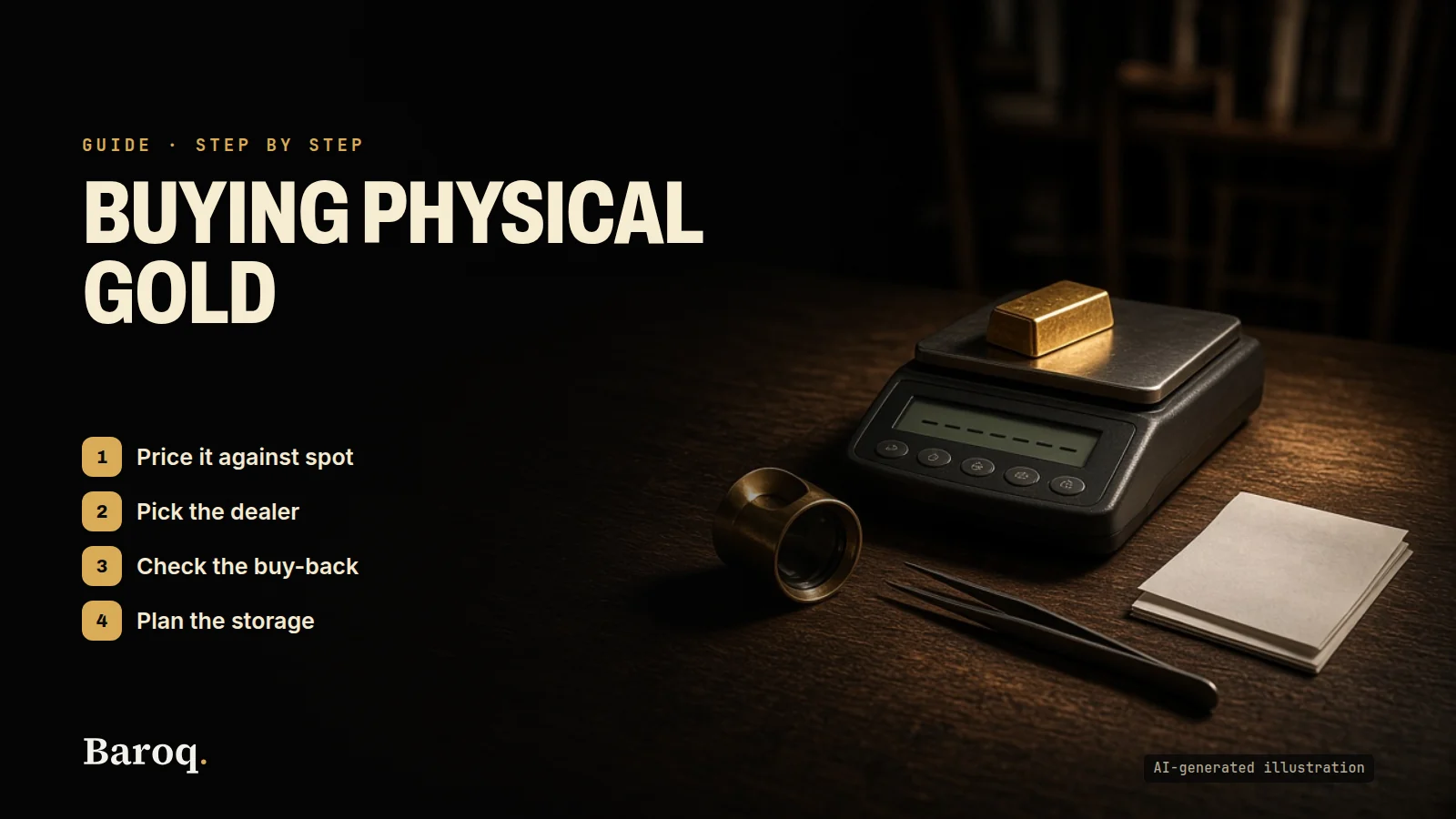
Who it suits. It suits someone who already has, or is about to open, a brokerage account that delivers gold inside this terminal, and who wants the chart, the depth and the order ticket in one window. It does not suit someone who wants a public price list of chart features by subscription tier. There isn't one on the pages we read. If the question is whether to hold metal rather than chart it, that is a different decision, covered with premiums, tax and storage in Gold vs silver and How to buy physical gold.
cTrader for gold charts
Read on 10 November 2026 from cTrader's download page and from Spotware's cTrader page. The download page lists the apps and what each row includes:
- cTrader Web: Trade and Algo, in the browser.
- cTrader Windows: Trade and Algo, for Windows 7, 8, 10 and 11.
- cTrader Mac: Trade and Algo, for macOS 12.0 and up.
- cTrader Android and cTrader iOS: Trade. The Algo line is not on those two rows. The page also lists Amazon, a direct APK, Huawei AppGallery and Samsung Galaxy Store, each marked Includes Trade.
Spotware's page describes cTrader as a premium FX and CFD trading platform, with apps for iOS, Android, Windows, Mac and Web. The trader section names ultra-fast execution, advanced charting, copy trading, cloud-powered cBots, indicators and plugins. The same page includes the words "Free cloud execution". That is Spotware's label for running algos in its cloud. It is not a printed subscription of $0 for the whole platform, and this post does not turn it into one.
No platform fee was on the page. We looked for a monthly or annual charge for the terminal itself. The download page does not print one. Spotware's page talks to brokers about licensing the platform, and it does not print a fee for the person who only wants a chart. Your cost, if you trade, is the broker's spread and any commission. We did not open a broker and we did not copy a spread.
The store is not the platform. cTrader's site also runs a store of cBots, indicators and plugins. Some rows are marked free. Others show a price. Those prices belong to the add-on. They change from product to product, and they are not a charting plan. This comparison does not list them, and it does not repeat performance figures a seller prints on a product card. A seller's result is not a result of the platform, and it is not a result of ours.
Copy trading. Spotware describes cTrader Copy as the place where investors and strategy providers connect. The download page does not print a copy fee. If a provider charges a fee, that fee belongs on the strategy's own screen, which we did not open. Do not treat "copy" as a free or paid feature until you read the strategy you would actually follow.
Who it suits. It suits a gold trader whose broker offers cTrader and who wants charting, depth and, on desktop or web, the algo tools the download page lists. It is a poor fit if you need a public ladder of alert caps and history lengths by price. cTrader does not publish that ladder. Compare it with TradingView when the question is "what does the next dollar of software buy", and with MetaTrader 5 when the question is "which terminal does my broker support".
NinjaTrader for gold charts
Read on 10 November 2026 from NinjaTrader's pricing page. The page is explicit about what the numbers are. It says the pricing is for trading futures through NinjaTrader Clearing, the futures commission merchant, using the NinjaTrader platform. The Free, Monthly and Lifetime plans, the commissions and the intraday margins apply to that brokerage account. This post is describing that published page. It is not a recommendation to open the account, and it is not a broker review.
Every plan includes NinjaTrader Desktop, Web and Mobile. The page says all plans offer top-of-book market data, advanced tools and simulated trading. Exchange, clearing and NFA fees apply on top of the commissions.
| Plan | Plan fee | Micro and e-Nano, per side | Standard, per side |
|---|---|---|---|
| Free | $0, no monthly plan fee | $0.39 | $1.29 |
| Monthly | $99 per month | $0.29 | $0.99 |
| Lifetime | $1,499 once | $0.09 | $0.59 |
The page's own FAQ says commissions are charged per side, so a round trip is twice the listed rate. Some contracts differ, and the commission schedule is the list. We are not reprinting that schedule here. The pricing page says the schedule is updated quarterly. A gold contract's all-in cost is the commission above, plus the exchange, clearing and NFA lines for that contract. Those extra lines were not a single gold number on the plan cards, so this post does not invent one.
Margins, including gold. The page prints intraday margin headings, not overnight margins. It shows $10 to $20 for named e-Nano equity-index contracts, $50 for named Micro E-mini equity-index contracts, $500 for named E-mini equity-index contracts, and $1,000 for crude oil, gold and natural gas. Gold is in that last group. The page does not, in that list, put a micro gold contract in the $50 group. Do not move it there yourself. Margins change, and the page points you to its margin policy.
What unlocks after you add money. The page says you add funds to the live account to unlock real-time market data, Order Flow+ and Market Replay. It also says the Pulse indicator is available instantly, with no funding required, and that charts, third-party connections and simulated trading are available without that step. One of the third-party names on the page is TradingView. Connecting the two is optional. It does not make the NinjaTrader plan fee disappear, and it does not make the TradingView plan fee disappear.
Support, as labeled. The page says customer support includes 24x5 technical support and a 24-hour emergency trade desk. We did not call either number. The words are the page's, not a timed reply.
Who it suits. It suits someone who wants to chart and trade gold futures inside this brokerage's platform, and who has read both the plan fee and the per-side commission. The Free plan is the one with no monthly fee and the higher commission. Monthly, at $99, lowers the commission. Lifetime, at $1,499, lowers it again. None of the three is a chart you can rent while your futures account sits at a different broker. If your gold trade is an XAUUSD CFD at a forex broker, this page is the wrong price list. Use the MetaTrader 5 or cTrader section, and then read that broker.
thinkorswim for gold charts
Read on 10 November 2026 from Charles Schwab's thinkorswim page, the Guest Pass page, the public pricing page and the Pricing Guide for Individual Investors.
The thinkorswim FAQ answers "Is Schwab's thinkorswim trading platform free?" with a direct yes. Clients get the platform suite for no charge. Trades placed through the platforms use Schwab's standard pricing. The suite is three apps: desktop, web and mobile. The page says you can choose from hundreds of technical studies and drawing tools. It names stocks, ETFs, options, futures and forex as the product range. It does not, on the pages we read, print the symbol XAUUSD. A gold futures contract would fall under futures. A spot metals CFD is not what this page describes.
The Guest Pass. Schwab offers 30 days of thinkorswim with no Schwab account. The pass opens the simulated environment, paperMoney, inside the desktop, web and mobile apps. The page says the pass includes $100,000 of virtual buying power, and that you can use it on equities, options, futures and forex in that simulation. The pass cannot be extended. When it ends, the credentials expire, and a later Schwab login does not recover that Guest Pass data. Clients do not need the pass. They already have the platforms, with paperMoney built in.
What "no charge" does not cover. The pricing page's $0 online commission applies to listed stocks and ETFs. The same page's footnote says that $0 rate does not apply to futures. Options on that page are a $0 base plus $0.65 per contract, which is the options line, not the futures line. The pricing guide, which the pricing page points to, lists futures and futures options at $2.25 per contract. The guide says those rates are per contract, per side, and that they do not include NFA and exchange fees. Market data fees can also apply at some futures exchanges. We did not add those fees into a gold total, because the guide does not print one gold-only all-in number.
Opening an account. The thinkorswim FAQ says there is no minimum funding amount required to open a Schwab account and use the platforms, and that some products, options among them, have their own requirements. The Guest Pass FAQ says there are no account minimums and no opening or maintenance fees, and that standard pricing still applies to trades. "No platform fee" and "no futures commission" are different sentences. Only the first one is true on these pages.
Who it suits. It suits a Schwab client, or someone willing to become one, who wants a deep desktop chart of futures and other Schwab products without a separate charting subscription. It is the wrong page if you need a broker-agnostic XAUUSD CFD terminal you can point at any forex broker. thinkorswim is Schwab's. The 30-day pass is the way to see the screen before an account. It is a simulation with virtual buying power, not a live gold ticket.
Sierra Chart for gold charts
Read on 10 November 2026 from Sierra Chart's service-packages page. The software is sold as a service package, paid from a balance on your account, for 1, 3, 6 or 12 months. The page says a one-time purchase is not offered, and that this is deliberate: the package is software plus data, order routing, support and ongoing updates. The page also says all pricing is subject to small price changes over time without notice.
Monthly prices.
- Package 3, Base Standard: 26 USD a month.
- Package 5, Base with advanced features: 36 USD a month.
- Package 10, Integrated Standard: 36 USD a month.
- Package 11, Integrated with advanced features: 46 USD a month.
- Package 12, Integrated with advanced features and Market by Order: 56 USD a month.
Advanced features, on Packages 5, 11 and 12, add the TPO chart study, Numbers Bars, Numbers Bars calculated values and the Market Depth Historical Graph. The page says the volume-profile drawing tool is allowed on all packages as of version 2778. Package 12 adds Market by Order data.
Prepaid totals, as the page prints them. The discount column is 0 percent for one month, 15 percent for three, 25 percent for six and 35 percent for twelve. The 12-month line, which is the one people misremember, is:
| Package | 12-month charge on the page | Per month, as the page prints it |
|---|---|---|
| 3 Base Standard | 202.8 USD | 16.9 USD |
| 5 Base Advanced | 280.8 USD | 23.4 USD |
| 10 Integrated Standard | 280.8 USD | 23.4 USD |
| 11 Integrated Advanced | 358.8 USD | 29.9 USD |
| 12 Integrated Advanced with Market by Order | 436.8 USD | 36.4 USD |
The three-month and six-month rows are on the same table. Package 10 for three months is 91.8 USD, which the page also prints as 30.6 USD a month. Package 10 for six months is 162 USD, printed as 27 USD a month. Use the table on the day you pay. Do not apply the 35 percent yourself to a later monthly price and assume the old prepaid total still holds.
What a package includes, and what it does not. With any package the page lists the historical data service, the real-time and historical forex and CFD data service, the market statistics feed, cryptocurrency data, a delayed exchange data feed, and simulated trading. Base packages, 3 and 5, do not connect to outside data or trading services. The page names Interactive Brokers, CQG and Rithmic as examples they will not connect to. Base packages also do not connect to the Denali Exchange Data Feed. Integrated packages, 10, 11 and 12, are the ones that can.
Denali is the exchange feed. It is not included in the 26, 36, 46 or 56 USD. The packages page says to read about possible additional data expenses, and it does not print a Denali dollar amount on that page. This post does not invent one. If you want a gold futures tape from an exchange, budget a data line you have read on Sierra Chart's data page, on top of Package 10 or higher. If you want a forex or CFD gold chart from the data service the packages page says is included, the base package is the one that page allows, and you still confirm the symbol is actually on that feed. The packages page does not name XAUUSD.
Who it suits. It suits a trader who wants the package price in writing, who will use the included forex and CFD data or who will add Denali on an integrated package, and who accepts a subscription that cannot be bought once and kept forever. The page is blunt on that last point. It is a poor fit if you want a $0 chart in a browser tonight. TradingView Basic is that chart. Sierra Chart's lowest printed number is 26 USD a month.
How a gold trader can choose
Work down the list and stop at the first description that matches the gold you actually trade. The symbol decides the platform more than the logo does.
- Spot or CFD gold at a forex broker, symbol often XAUUSD. Start with the terminal that broker supports. That is often MetaTrader 5 or cTrader. Neither vendor printed a platform subscription on the pages we read. Your comparison is then the broker's spread and commission, which belong on the broker's page, plus whether you need the algo tools cTrader lists on desktop and web. A charting subscription is optional on top, not required to see the broker's ticket.
- A chart you want before you pick a broker. TradingView Basic is the page that shows a $0 chart without a card. Use it to draw levels. When you send an order, use the broker's price. A delayed or third-party gold quote can differ from the fill by enough to matter on a tight stop.
- Gold futures, and you want the screen and the account in one place. NinjaTrader's page is the futures plan with gold named under the $1,000 intraday margin heading. thinkorswim is the Schwab path, with no platform fee and a futures commission of $2.25 per contract per side on the pricing guide, before exchange and NFA fees. Sierra Chart is the path if you want your own package and a separate exchange feed. These three do not share a price list. Do not subtract one from another and call the difference a saving.
- You already pay for a chart and you are hitting a cap. On TradingView, name the cap. Alerts that end are Essential or Plus. Alerts with no fixed end start at Premium. A year of minute history starts at Plus. Tick history is Ultimate. On Sierra Chart, the advanced studies start at Package 5, and outside connectivity starts at Package 10. Paying for a higher row you will not open is how these bills grow.
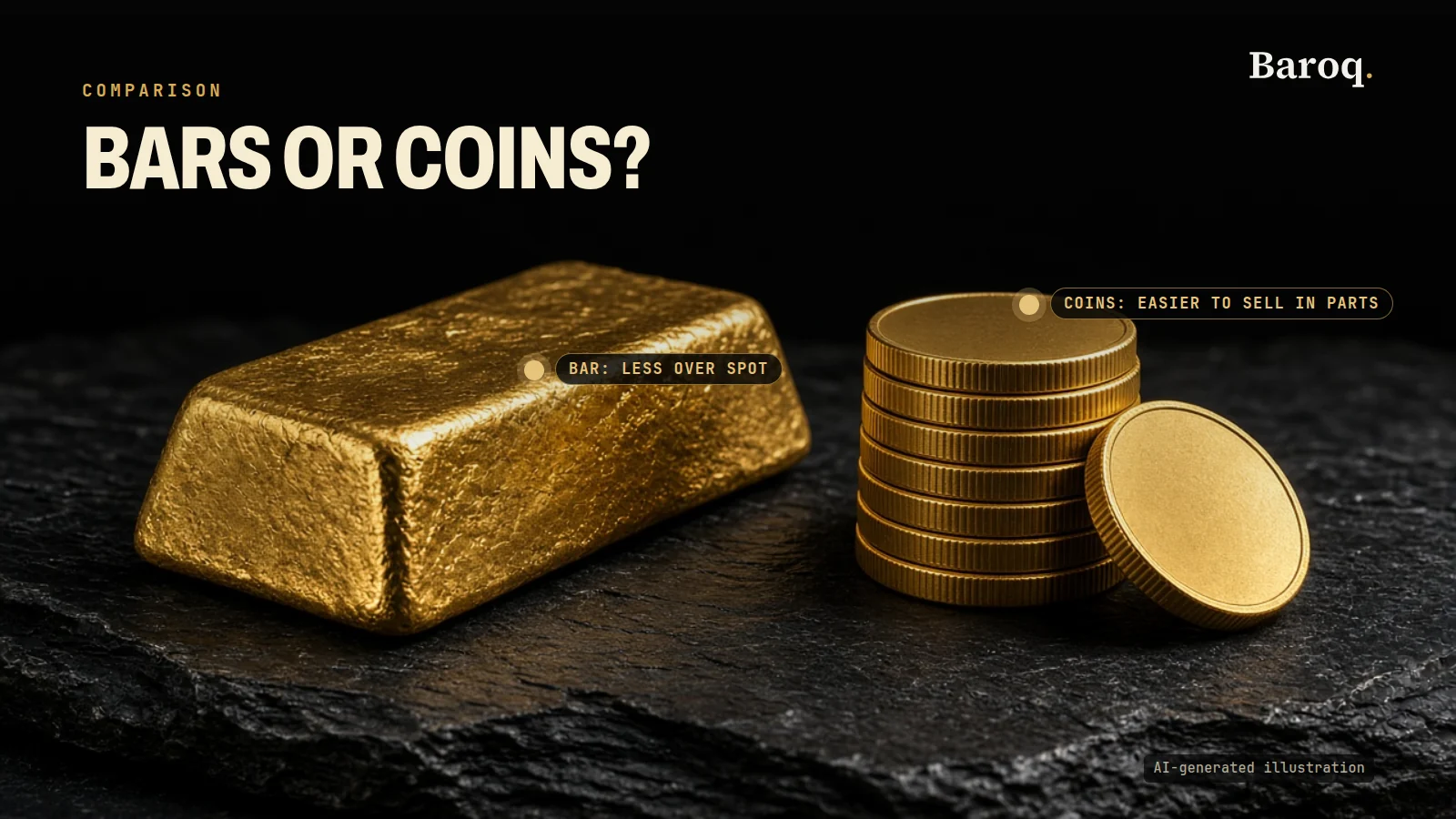
- You are deciding whether gold belongs in a long-term holding at all. A platform does not answer that. Premiums, tax and storage do. Read Gold vs silver, then Gold bars vs gold coins if the next step is metal you can hold. The chart and the bar are different purchases.
Whichever screen you pick, write the stop in the broker's price, then the size. A platform with more indicators does not change the distance to the stop. The guides on learn cover lot size, pip value and risk in plain language. The risk note for the wider site is on risk. More posts in this category sit under trading tools.
What to read before you pay
- Open the vendor's page again. Every dollar and every "no charge" in this post was on that company's site on 10 November 2026. The button can move.
- Write down the thing you are buying: a chart plan, a broker terminal, a brokerage plan, or a service package plus a data feed. Mixing those four is how a $0 platform becomes an expensive gold trade.
- If the page offers a monthly price and an annual total, write both. On TradingView the annual tooltips are $155.40, $359.40, $719.40 and $2,399.40. On Sierra Chart the 12-month column is the prepaid total, not the monthly price times twelve without the discount the page already applied.
- Read the refund or cancel line before an annual payment. TradingView's FAQ limits refunds to annual plans and to 14 calendar days, and it excludes monthly plans, upgrades and market data. Sierra Chart's page says the package renews from your balance. Schwab's Guest Pass simply expires at 30 days.
- Confirm the gold symbol. XAUUSD at a CFD broker, a futures contract, and a spot feed inside a charting site are three quotes. They are not required to match.
- Add the data line if the symbol needs an exchange. TradingView's FAQ and Sierra Chart's packages page both say that line is separate. Neither page's plan price includes it.
- Keep the broker's ticket for the order. The chart is the map. Size the position from the stop on the ticket, not from a delayed candle.
- Educational only, not financial advice; trading involves risk.
TradingView's plans, Schwab's commissions, NinjaTrader's brokerage plans and Sierra Chart's packages are their products. Baroq's desk, the research tools and the free calculators are a different product. For those, See plans.
Join the free Telegram channel: https://t.me/baroqtech
The pages behind this comparison, all read on 10 November 2026, are TradingView's pricing page (https://www.tradingview.com/pricing/), MetaTrader 5's trading-platform page (https://www.metatrader5.com/en/trading-platform) and MetaQuotes' product page (https://www.metaquotes.net/en/metatrader5), cTrader's download page (https://ctrader.com/download) and Spotware's cTrader page (https://www.spotware.com/ctrader/), NinjaTrader's pricing page (https://ninjatrader.com/pricing/), Schwab's thinkorswim page (https://www.schwab.com/trading/thinkorswim), the Guest Pass page (https://www.schwab.com/trading/thinkorswim/guestpass), Schwab's pricing page (https://www.schwab.com/pricing) and the Pricing Guide for Individual Investors (https://www.schwab.com/legal/schwab-pricing-guide-for-individual-investors), and Sierra Chart's packages page (https://www.sierrachart.com/index.php?page=doc/Packages.php). If a line has moved, the provider's page wins.
Educational content, not financial advice. Prices, fees and offers change: check them on the provider's own site before you sign up. Trading leveraged products carries a high risk of losing money, and you can lose all of it.