Disclosure Partner links are marked. We may earn a commission if you use one. It costs you nothing extra and never changes our verdict. How we review
This TradingView review answers one question: which paid plan, if any, is worth the fee for someone who charts markets and may also trade gold. The short answer is that TradingViewPartner Basic is a real free chart, and a paid plan is worth the fee only when you need more charts, more indicators, longer alerts or a chart without ads. We read the pricing page and the about page on 10 November 2026. We did not open a paid account, and we did not run a speed test.
What TradingView is
TradingView's about page calls it a charting platform and a social network, and says it is used by more than 100 million traders and investors. That user count is the company's. We did not count accounts.
What you can check without a slogan is the product on the pricing page. There are five plans: Basic, Essential, Plus, Premium and Ultimate. Basic is the free plan. The other four are subscriptions, sold by the month or by the year. The page has a Monthly / Annually switch and, on the annual side, the line "Save up to 17%".
The same page is a charting product, a watchlist, a screener, an alert system and a social layer for ideas and scripts. It also marks paper trading and trading through selected brokers. Those last two are connections and simulations. They are not a statement that TradingView holds client money for a trade. The pricing FAQ names the firms that take the card payment for the subscription: Braintree (a PayPal company), Checkout, Razorpay, dLocal and Triple-A. Crypto is listed as well, processed by Triple-A, including through Binance Pay.
This page is a review of that published product. It is not a broker review. Brokers stay on Baroq's partner pages. The rules for every score on this blog are on How we review.
How this TradingView review was checked
On 10 November 2026 we opened TradingView's pricing page and its about page and wrote down what they showed. The prices below come from three places on the pricing page, and they agree with each other:
- The plan cards on the annual view, which print a "Special price" per month and the words "billed annually".
- The tooltip on each annual card, which states the full annual price and the total of regular monthly payments.
- The product data on the same page, which lists a monthly `cost` and an annual per-month `cost_annual` for each paid plan.
Greyed-out lines on a plan card are treated as off. That matters. Essential's card still prints "Alerts that don't expire" and "First priority support", but both lines are marked disabled. The comparison table matches that reading. Where a card and the table could be misread, this review follows the table and the disabled mark, and it says so.
We did not create a paid subscription, did not buy an exchange-data add-on, and did not send a support message. Anything this review does not time or measure is left out, not guessed. The page source also contains older promotional records, including Black Friday offers marked expired, and a separate six-month offer. Those figures are not in the table below.
TradingView pricing 2026: what each plan costs
Basic is $0, and the card says the free signup does not need a credit card.
The dollar amounts for the four paid plans, as that page showed them on 10 November 2026, are:
| Basic | Essential | Plus | Premium | Ultimate | |
|---|---|---|---|---|---|
| Monthly price | $0 | $14.95 | $34.95 | $69.95 | $239.95 |
| Per month, billed annually | $0 | $12.95 | $29.95 | $59.95 | $199.95 |
| Charged for the year | $0 | $155.40 | $359.40 | $719.40 | $2,399.40 |
| If you pay each month for a year | $0 | $179.40 | $419.40 | $839.40 | $2,879.40 |
| Charts per tab | 1 | 2 | 4 | 8 | 16 |
| Indicators per chart | 2 | 5 | 10 | 25 | 50 |
| Active price alerts | 3 | 20 | 100 | 400 | 1,000 |
| Alert length | 1 month | 2 months | 2 months | No fixed end | No fixed end |
The annual per-month figures are what the cards call a special price. The tooltip does not describe a coupon with an end date. It says the figure is the annual plan compared with paying monthly. Essential saves $24 over a year of monthly payments ($179.40 versus $155.40). Plus saves $60 ($419.40 versus $359.40). Premium saves $120 ($839.40 versus $719.40). Ultimate saves $480 ($2,879.40 versus $2,399.40). The "up to 17%" line on the annual switch is the page's own label for that gap. The dollar columns are the ones to use.
These are the dollar amounts. The same product data lists other currencies. Essential, for example, is also stored as 1,295 rupees a month and 995 rupees a month on the annual figure. GBP and EUR used the same numerals as the dollar fields for these four plans on that day. Read the currency beside the price on your own visit. A dollar figure in this review is not a quote for every country.
The pricing FAQ adds three rules that change the real cost:
- You can cancel, and the subscription does not renew after the term you have paid. The paid term keeps running until that date. A canceled trial stops immediately. The FAQ does not state how long a trial lasts, so this review does not state one.
- Refunds are for annual plans only, requested within 14 calendar days of payment. There is no refund for a monthly plan, for an upgrade to a dearer plan, or for market data, even if you cancel the same day.
- You can move an annual plan up a tier without a new charge. Remaining days convert into days on the new tier, and the next payment date moves. A downgrade waits until the current term ends.
- Cost4/5Basic is $0 on the pricing page, while Plus is $359.40 a year on the annual tooltip, a software fee on top of any broker cost. We did not price MetaTrader 5 or a broker's own platform on 10 November 2026.
- Transparency4/5Monthly costs, annual totals and the limit table are on the pricing page, while exchange-data prices are separate and the page also carries other currencies.
- Safety4/5The charge is a software subscription through the payment firms named on the pricing FAQ. A connected broker is a different firm, and this review did not check that firm's client-money rules.
- Ease of use4/5The free signup says no credit card is needed, and each paid card lists web, desktop and mobile apps. We did not time a first login.
- Support3/5The comparison table lists Regular, Priority and First priority, and it marks no customer support on Basic. We did not send a question, so this is the label, not a timed reply.
Charts, indicators and alerts
This is the part that decides whether a paid plan is worth it. The comparison table on the pricing page, read on 10 November 2026, is the source for every number in this section.
Charts. Basic allows 1 chart per tab and 1 saved layout. Essential allows 2 charts and 5 layouts. Plus allows 4 charts and 10 layouts. Premium allows 8 charts, and Ultimate 16. Saved layouts from Premium upward show an infinity mark, which this review reads as no fixed cap on that row. Parallel chart connections run 2, 10, 20, 50 and 200 from Basic to Ultimate.
One chart is enough for a single gold symbol on a single timeframe. Two charts matter when you want the same symbol on two timeframes at once, or gold beside the dollar. Four charts matter when you keep a watch of several markets. Eight and sixteen are for a desk that is already full. They are not required to see the gold price.
Indicators. Basic allows 2 indicators per chart. Essential 5, Plus 10, Premium 25, Ultimate 50. Indicators stacked on other indicators are capped at 1 on Basic and Essential, 9 on Plus, 24 on Premium and 49 on Ultimate. Custom indicator templates are 1 on Basic and an infinity mark on every paid plan.
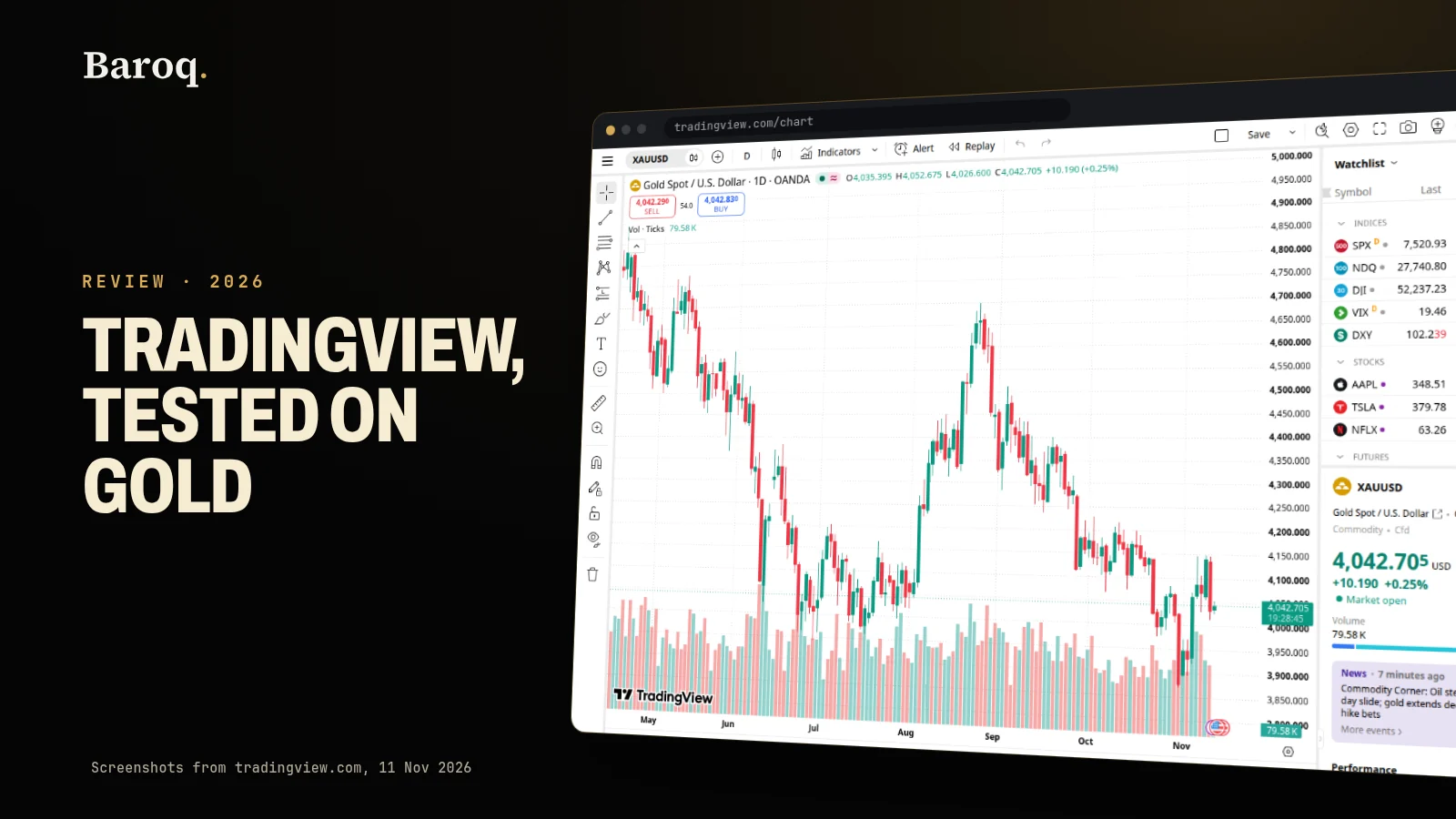
A gold chart rarely needs 25 indicators. Two, used with a reason, already fit on Basic. Five on Essential covers a moving average, a range measure and a level without crowding the price. The jump to 10, 25 or 50 is for people who run screens of scripts, not for a first chart of XAUUSD. How to choose the symbol, and why a spot quote is not the futures contract, is covered in Gold on TradingView.
Alerts. Active price alerts are 3 on Basic, 20 on Essential, 100 on Plus, 400 on Premium and 1,000 on Ultimate. Technical alerts are absent on Basic, then 20, 100, 400 and 1,000. Watchlist alerts are absent until Premium, which has 2, and Ultimate, which has 15. Webhook notifications are off on Basic and on from Essential upward. Second-based alerts and multi-condition alerts are off on Basic and Essential and on from Plus upward.
How long an alert lives. The comparison table says 1 month on Basic, 2 months on Essential, 2 months on Plus, and an infinity mark on Premium and Ultimate. The Essential and Plus cards do print the words "Alerts that don't expire", and both lines are disabled. Premium and Ultimate have that line switched on. If the reason you would pay is an alert that keeps running, Premium is the first plan where the table and the card agree. Essential's 20 alerts are real, and they end after two months.
Ads and support. Under Ad-free, the charts row is off on Basic and on for Essential, Plus, Premium and Ultimate. Each of those paid cards also has "No ads" switched on. Customer support is a cross on Basic, then Regular on Essential, Priority on Plus, Priority on Premium, and First priority on Ultimate. "First priority support" is printed on the lower cards and disabled there. We did not contact support, so the words are the published labels only.
What we like
- Basic is $0 and the pricing page says no credit card is needed to sign up.
- The comparison table prints charts, indicators, alerts and history for all five plans.
- Essential, Plus and Premium cards mark chart ads as off. Alerts with no fixed end start at Premium.
- Paper trading and trading through a connected broker are marked on every plan, including Basic.
What to watch
- The annual tooltip is the price to remember: Plus is $359.40 for the year, Premium $719.40, Ultimate $2,399.40.
- Extra real-time exchange data is a separate purchase, and the plan price does not include it.
- Essential and Plus alerts last two months on the comparison table. They do not run without an end date.
- We did not open a paid account or send a support question, so support speed is unread.
History, screeners and data you still pay for
A paid plan also changes how far back the chart can go, and it does not, by itself, buy every exchange.
Bars and intraday history. Historical bars available are 5K on Basic, 10K on Essential, 10K on Plus, 20K on Premium and 40K on Ultimate. Minute history is off on Basic, 180 days on Essential, 365 days on Plus, and "All" on Premium and Ultimate. Second history is "All" only on Premium and Ultimate. Tick history is 7 days, and only on Ultimate.
For a daily gold chart, Basic's bar cap is rarely the limit you hit. For a one-minute chart of a whole year, Plus is the first plan whose row says 365 days. Premium is the first that says all of the minute history and the second history. That is a concrete reason to pay, and it is a different reason from "more indicators".
Screeners. Stock, ETF, bond and crypto screeners are marked on from Basic. AI screener requests are "Preset requests only" on Basic, then 100, 150, 250 and 500. Pine Screener and deep backtesting are off until Premium. Bond Screener is disabled on the Essential card. If you do not screen shares, these rows do not justify a plan. If you do, read them before you pick Premium for the chart and discover the screener was the feature you actually wanted.
Exchange data is extra. The pricing FAQ says extra real-time and intraday data for exchanges, and it names NASDAQ, NYSE, NYSE Arca, OTC and CME as examples, is added separately. You need a paid plan, or a trial, before you can add it. The same answer says that extra data works on the TradingView website for the account that bought it, and that it does not work on TradingView widgets. The comparison table caps how many market-data subscriptions you may hold: none on Basic, 2 on Essential, 4 on Plus, 6 on Premium, and an infinity mark on Ultimate. The cap is not the price of the feed. This review does not quote a feed price, because the plan page did not print one.
That is the gap that catches gold traders. A CME feed, if you want the futures tape rather than a spot symbol, is not included in the $155.40 or the $359.40. The plan lets you buy it. The plan is not the feed. Which symbol is delayed, and why the chart can differ from your broker by cents or by dollars, is the subject of Gold on TradingView. Trade the broker's own price when the fill matters.
Watchlists and portfolios. Basic has 1 watchlist of 30 symbols. Every paid plan shows an infinity mark for the number of watchlists and 1,000 symbols per list. Portfolios run 1, 3, 4, 5 and 7. Broker connections via Plaid are off on Basic and 3 on each paid plan. None of this changes the gold quote. It changes how many symbols you can pin and how many linked accounts the page says you can attach.
Paper trading, brokers and what the fee does not buy
The comparison table marks four trading rows as on for every plan, Basic included: trading through selected brokers, simulated paper trading, chart trading, and depth-of-market trading. A paid plan is not the switch that turns trading on.
Read that carefully. Paper trading is a simulation on TradingView's side. A broker connection sends the order to a broker you choose, under that broker's rules, spreads and client-money arrangements. This review did not open a broker account through the link, and it does not score any broker. The subscription fee is not a deposit, and it is not returned as a trading balance.
Two practical consequences for gold:
- The chart can show a different price from the ticket you are about to send. Size the trade from the stop on your broker's price, not from a delayed or third-party quote. The position size calculator does that arithmetic. Live gold, silver and the rest of the board are on Baroq Markets.
- A plan does not decide whether gold or silver belongs in a long-term holding. That is a different question, answered with premiums, tax and storage in Gold vs silver. If the next step is metal you can hold, start with How to buy physical gold and the format comparison in Gold bars vs gold coins.
The about page's line that the platform is used by more than 100 million people is not a reason to pick a tier. The tier follows the row you have run out of.
Who a paid plan suits
Work down the list and stop at the first plan that covers the row you actually use.
Stay on Basic if one chart, two indicators and three price alerts are enough, and if ads on the chart do not bother you. You still have paper trading, a broker connection, the screeners, and a chart in the browser. The alerts last a month. There is no customer-support row for this plan.
Essential, at $155.40 for the year on the tooltip, suits someone who wants two charts, five indicators, 20 price alerts, no chart ads, and 180 days of minute data. Alerts last two months. Technical alerts exist here and do not exist on Basic. This is the smallest paid step, and it is the right one for a lot of discretionary charting. It is the wrong one if the whole point was an alert that never expires.
Plus, at $359.40 for the year, suits someone who wants four charts, ten indicators, 100 price alerts, a year of minute history, multi-condition alerts and the volume footprint. Alert length is still two months. You are paying for room and for intraday history, not for an open-ended alert.
Premium, at $719.40 for the year, is the first plan where alerts have no fixed end, where minute and second history are marked "All", and where deep backtesting and the Pine Screener switch on. Eight charts and 25 indicators come with it. Pay this if those rows are the ones you have already hit. The comparison table shows the limits without a ranking badge.
Ultimate, at $2,399.40 for the year, is 16 charts, 50 indicators, 1,000 price alerts, 15 watchlist alerts, 7 days of tick history and First priority support. The monthly price in the page data is $239.95, and a year of monthly payments is $2,879.40 on the tooltip. That is a specialist fee. A single gold chart does not use 16 panes. Buy it when the tick row or the alert cap is a limit you have already met, and after you have seen the charge on your own currency.
In every case, add the exchange-data line on top if the symbol you trade is one of the feeds the FAQ says are sold separately. The plan price in the table is not that line.
What to check before you subscribe
- Open the pricing page and set the switch to Annually. Write down the per-month figure and the tooltip's full-year charge. Then flip to Monthly and write that price too.
- Confirm the currency. Dollar amounts in this TradingView review are what the page showed on 10 November 2026. Rupee amounts for Essential were different numbers in the same product data.
- Pick the row you have run out of: charts, indicators, alert count, alert length, minute history, or ads. Buy the cheapest plan that covers that row. Leave the rest.
- If you need an alert with no fixed end, start at Premium. Essential and Plus say two months in the comparison table.
- If you need a named exchange in real time, open the market-data page from the FAQ and read that price. It is not in the plan card.
- Read the refund lines before an annual payment. Fourteen calendar days, annual plans only. A monthly plan is not on that list.
- Put the renewal date somewhere you will see it. Cancel stops the next term. It does not cut the term you have paid for.
- Keep the broker's own price for the order. The chart is the map. The ticket is the trade. Educational only, not financial advice; trading involves risk.
TradingView's plans and Baroq's plans are different products. The charting fee above is TradingView's. For the desk, the research tools and the free calculators, See plans.
Join the free Telegram channel: https://t.me/baroqtech
The pages behind this review, both read on 10 November 2026, are the pricing page (https://www.tradingview.com/pricing/) and the about page (https://www.tradingview.com/about/). Prices, caps and refund rules change. If a line has moved, the provider's page wins, and this post should be updated.
Educational content, not financial advice. Prices, fees and offers change: check them on the provider's own site before you sign up. Trading leveraged products carries a high risk of losing money, and you can lose all of it.